How do I delete my account?
Learn how to permanently delete your Gravy account and all associated data.
You can permanently delete your Gravy account and all associated data at any time. This action cannot be undone.
Where to find account deletion
Account deletion is available in your account settings:
- Click your profile (avatar) in the sidebar
- Select Settings from the dropdown menu
- Open the Account tab in the left sidebar
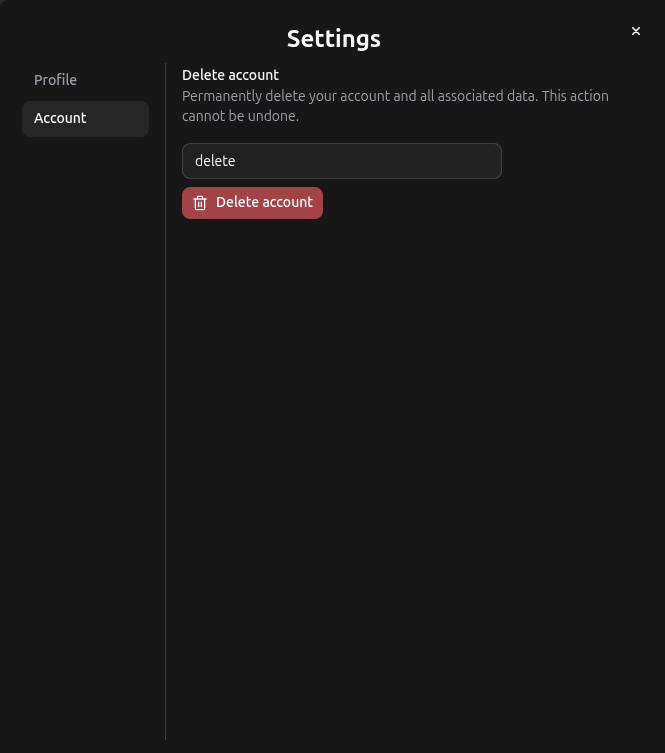
How to delete your account
- In the Account tab, find the Delete account section
- Read the warning: "Permanently delete your account and all associated data. This action cannot be undone."
- Type delete in the confirmation field
- Click the red Delete account button
What gets deleted
When you delete your account, we permanently remove:
- Your profile and account information
- All designs, canvases, and content you've created
- Organization memberships and data
- Connected social accounts
Before you delete
Consider exporting or downloading any designs or data you want to keep. Once your account is deleted, we cannot recover your information.